FREE
฿0
Everything needed to begin
- Manual income and expense entry
- Dashboard, recurring transactions, and widgets
- On-device receipt and transfer-slip scanning
Private expense tracking
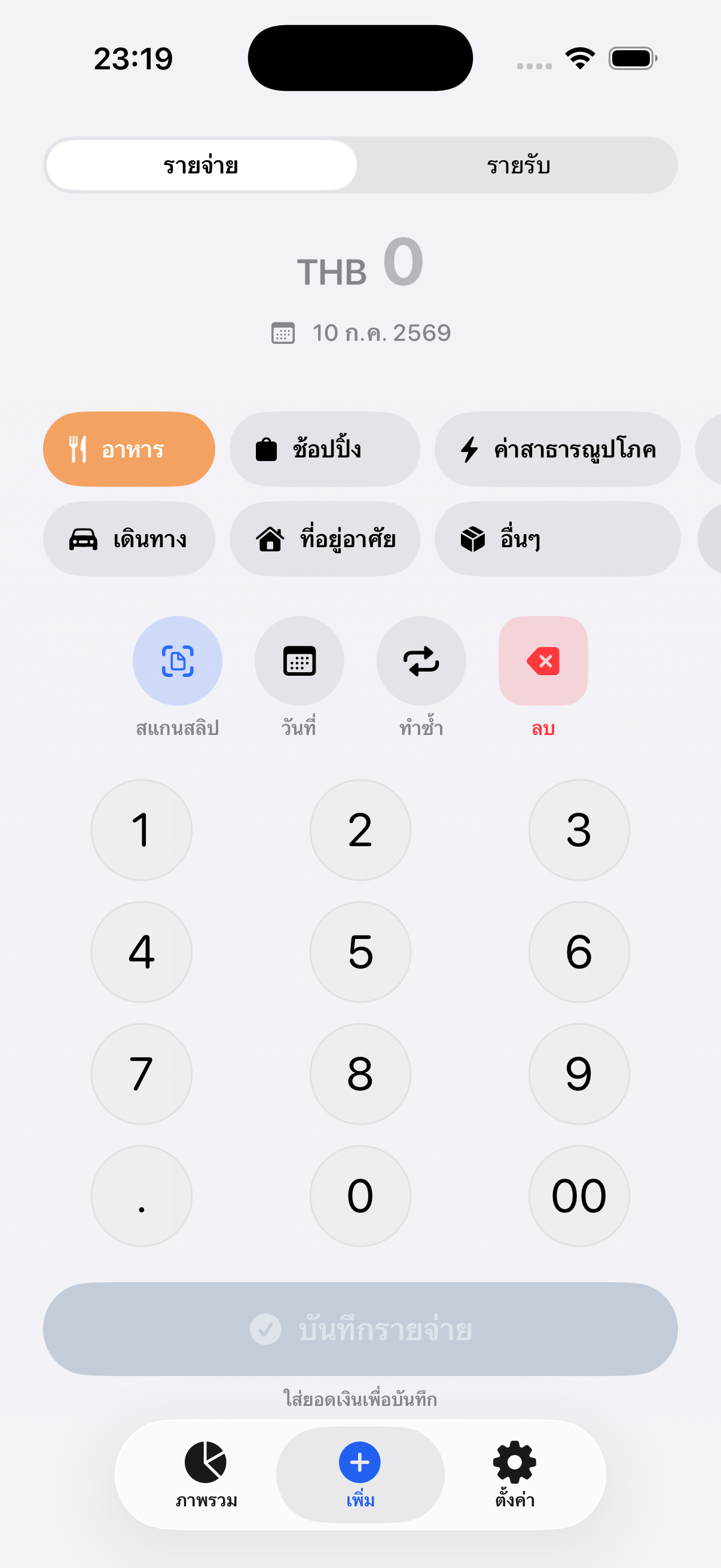
Flow is a calm expense tracker for English and Thai. Add an expense manually or scan a transfer slip or receipt, confirm the result, and see a clearer picture of your month—without connecting a bank account.
WHY IT EXISTS
Flow keeps entry short, makes scanned details editable, and turns the month into one useful answer: how much has gone out, and what is still reasonable to spend.
One clear workflow
Enter an expense in a few taps, or scan a supported Thai transfer slip or receipt on your iPhone.
Review the amount, category, date, and note before saving. Flow never silently trusts uncertain text.
See monthly totals, recent activity, and a simple spending pace without a finance-trading dashboard.
USE IT FOR
BUILT IN
Flexible upgrade
The core tracker works before you pay. Premium is available monthly, annually, or as a lifetime unlock through the App Store.
FREE
฿0
PREMIUM · 3 OPTIONS
฿39+
Monthly, annual, or lifetime
The App Store shows the current localized price before purchase. You can restore Premium with the same Apple Account, and the lifetime option is not a subscription.
HONEST BY DESIGN
Flow summarizes the information you enter and offers simple spending context. It does not connect to your bank, verify every scan automatically, or replace professional financial advice.
Straight answers
No. You add or scan the transactions you want Flow to remember.
They stay on your device by default. Premium users may optionally sync them through their own Apple iCloud account.
No. Flow shows the recognized details so you can confirm or correct them first.
You can choose monthly, annual, or lifetime Premium. The lifetime option is a one-time purchase; the other plans renew through Apple until cancelled.
Yes. Use Restore Purchases while signed in with the same Apple Account that made the purchase.
No. Flow has no Sovereign Apps transaction server. Optional iCloud sync uses your Apple Account and Apple CloudKit.
Small app.
Clear job.