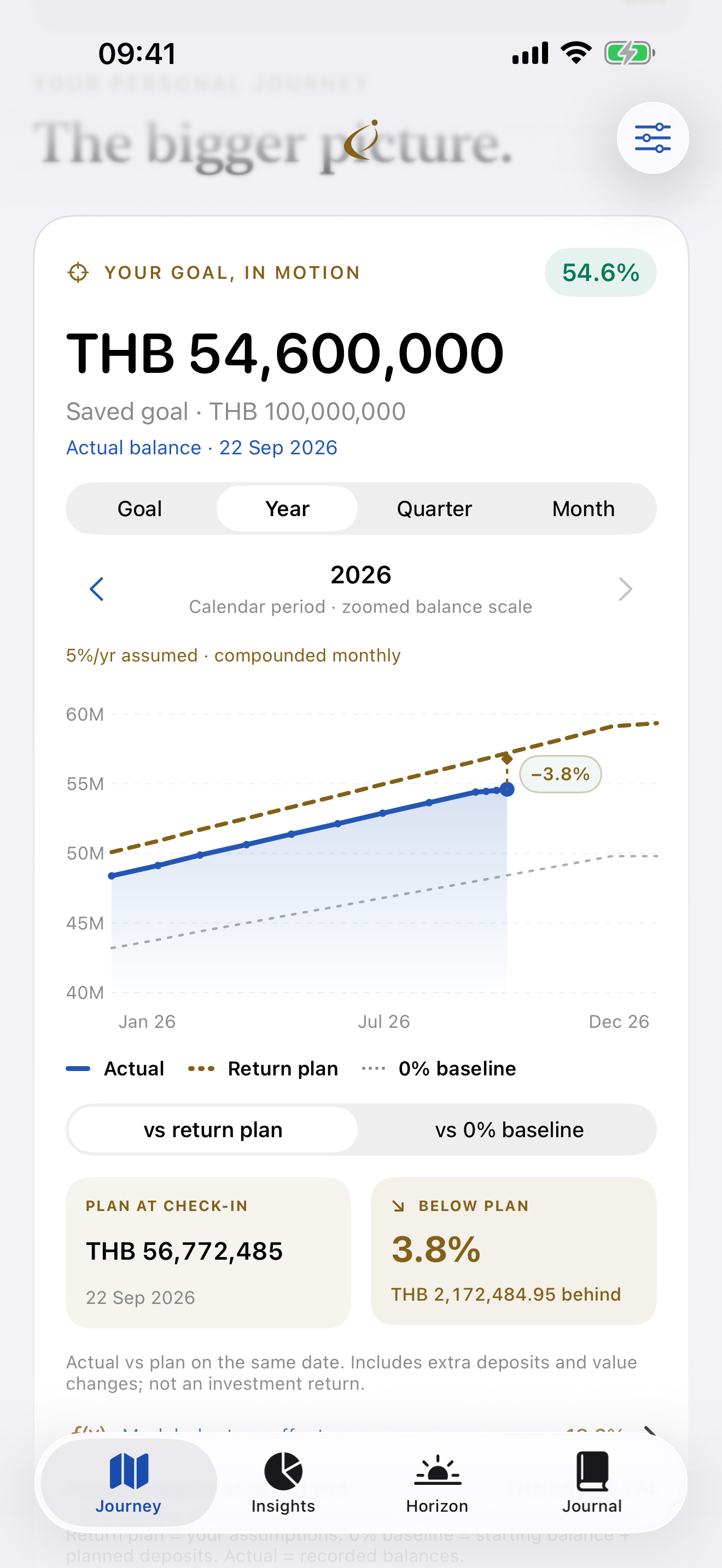
See the gap, clearly.
Compare balances on the same date. Extra deposits can explain a difference too; this is not an investment-return calculation.
Actual app · Illustrative sample dataWealth & Goals · On the App Store

Bring your assets, monthly investments, and long-term goal into one personal journey. AIM helps you see where you are, understand the gap to your plan, and decide your next step. Available for iPhone and iPad in English.
WHY IT EXISTS
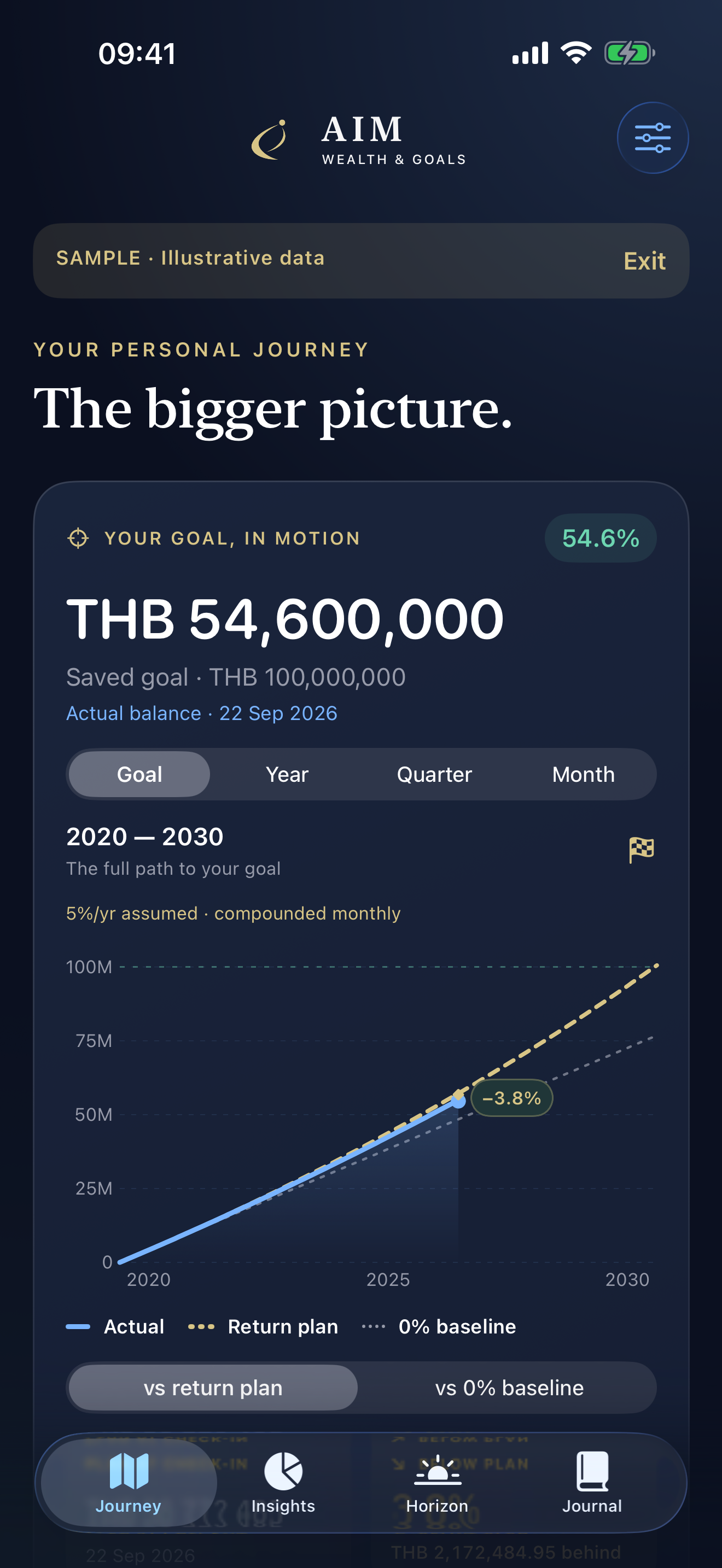
A balance tells you where you are today. A saved plan gives it context. Follow your recorded wealth alongside the path you planned, with a separate baseline showing what your planned deposits alone would add up to.
One clear workflow
Enter your asset balances, choose a goal, and set a monthly plan. Add your own return assumptions or keep them at zero.
Confirm your planned investment once each month and add any extra separately. Update current balances when you check in.
Explore Goal, Year, Quarter, or Month. See the same-date amount and percentage above or below the reference you choose.
USE IT FOR
BUILT IN
Compare balances on the same date. Extra deposits can explain a difference too; this is not an investment-return calculation.
Actual app · Illustrative sample data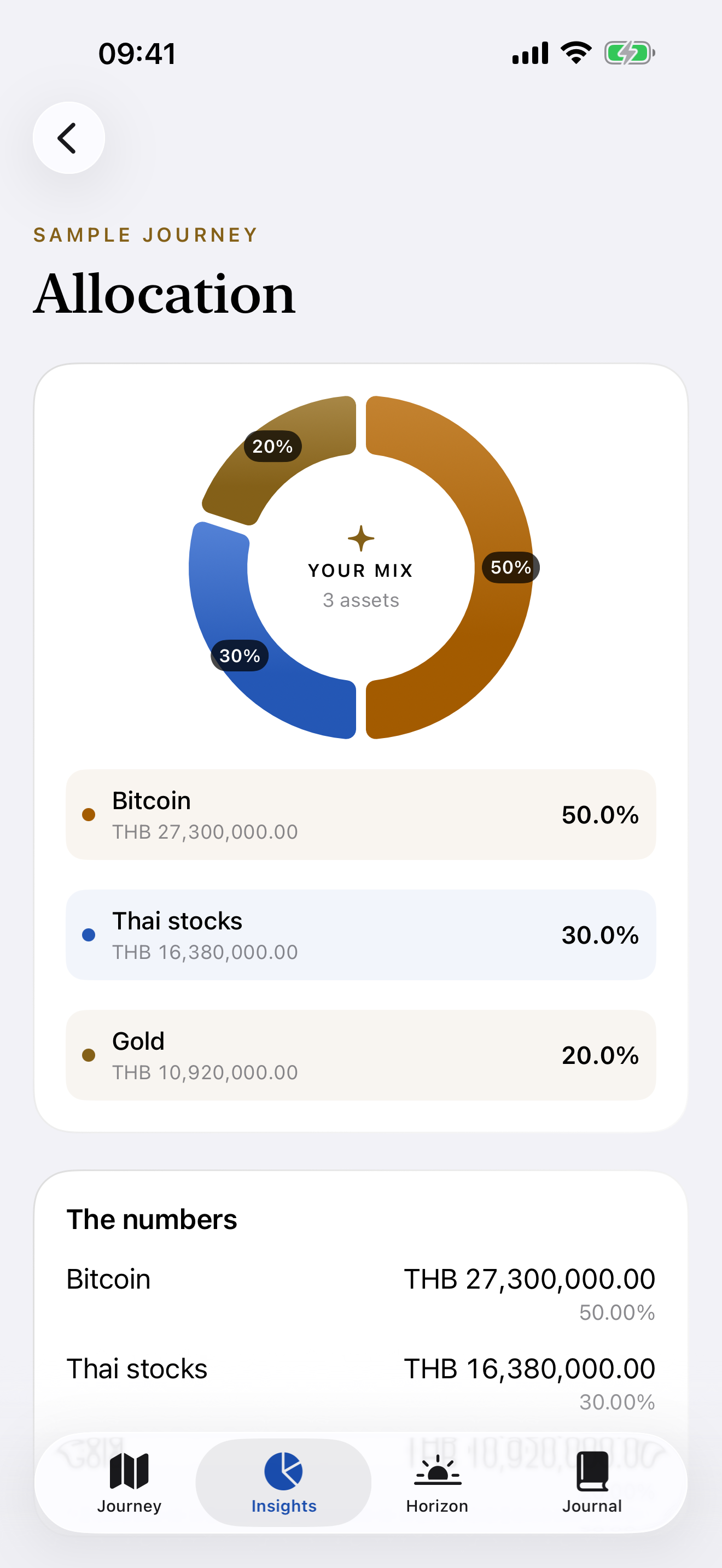
See the amount and share of each asset bucket, with percentages right on the chart.
Actual app · Illustrative sample dataSee AIM in action
Actual app screens with fictional sample data. Choose a demo to play.
Check your recorded balance against your own return plan and a 0% baseline. Fictional amounts.
Record what an asset is worth now without recording new money added.
Preview the clearer on-plan and extra-added progress states. Version 1.1.1 is under Apple review; check the App Store for availability.
For more short walkthroughs, follow AIM on Facebook ↗
Free to begin
Your goal dashboard, monthly plan, records and exports belong in Free. Plus adds deeper charts and saved comparisons when you want more context.
FREE
US$0
AIM PLUS · MONTHLY
US$2.49
Per month · US price
The US price is $2.49 per month. Your localized App Store price will be shown before purchase. Plus renews monthly until canceled. Cancel through Apple; your free records, editing and exports remain available.
HONEST BY DESIGN
AIM does not fetch market returns, connect to banks, or predict investment outcomes. Modeled paths use the assumptions you enter. An above-plan balance may reflect extra deposits as well as value changes. Sample amounts and the 5% assumption shown here are illustrative.
Straight answers
Set each asset’s monthly amount, then confirm the plan after investing. Add extra investments separately so the plan is never counted twice. Update current asset balances as a separate check-in.
You enter your own annual assumption for each asset. The plan compounds those assumptions monthly. The 0% baseline uses the same starting balance and planned deposits without growth.
The first app version has an English interface. You can choose THB as your journey currency. Thai localization is not included in the first version.
Yes. AIM is free to download from the App Store for iPhone and iPad. The images on this page show fictional sample data. AIM Plus is an optional monthly subscription purchased in the app.
Paid access continues through the paid period. Your records, corrections, history and exports stay available in Free.
Use Restore purchases in Settings with the Apple Account used for the subscription. AIM has no separate account.
Small app.
Clear job.